This is the Trace Id: e0276f8778757484d3a8c8e791d9ac01
A tablet and a smartphone are displayed on a white surface with pink and white decorative elements

Microsoft PowerPoint

Create polished slides in minutes using AI-driven design3 and collaboration tools in PowerPoint.
Overview

Pump up your presentations

  • Generate a presentation outline instantly with Copilot in Microsoft 365.4
  • Ask for more information or a new slide on your topic directly through Copilot in PowerPoint.
    Presentation slide titled "The Art of Craftsmanship" featuring an image of a modern wooden chair and a highlighted option
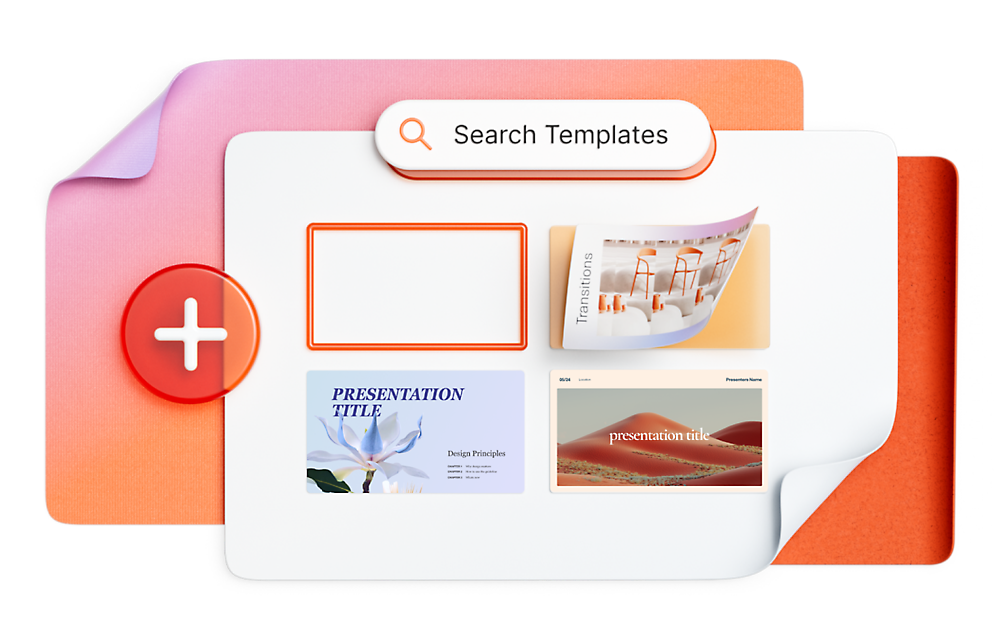
  • Choose from thousands of customizable templates to kickstart your slideshow.
    A digital interface displaying a search bar labeled "Search Templates," and various presentation templates with a plus button on the side.
Back to tabs
Key features

Supercharge your presentations

A PowerPoint presentation is displayed on a computer screen. a conversation, and a notification icon is visible.

Copilot in PowerPoint 

Enjoy faster Copilot4 performance, enhanced creative tools, and improved features designed to boost productivity.
A computer screen displays a software interface with various icons and text, surrounded by floating cereal pieces and a microphone.

Rehearse with Speaker Coach

Improve your pacing and pitch to speak more confidently with help from an AI-driven coach.
Floating icons of PowerPoint, Word, Excel, and OneNote hover above a colorful, abstract 3D spiral against a gradient background.

Get more with Microsoft 365

Get the apps, security, and storage you need to accomplish your goals with Microsoft 365.
A blurry image featuring blended pastel colors including purple, orange, and pink on a white background.
What’s new

Work smarter, present better​

Leverage AI-driven features3 in PowerPoint to save time, streamline design, and deliver polished presentations that communicate your message with impact.

Introducing Copilot for PowerPoint

Plans & pricing

PowerPoint is better with Microsoft 365

Back to tabs
Back to tabs

Get the PowerPoint mobile app

Create, read, and collaborate on the move with the PowerPoint mobile app.
A black and white QR code on a white background.
Click here if you are having trouble with the QR code

Get the PowerPoint mobile app

Download today for iOS or Android.

Frequently asked questions

  • Anywhere you need to stay productive—on desktop (Windows and MacOS), mobile and tablets (iOS and Android) or online. PowerPoint works across devices so you can keep projects moving whether you’re at your desk or on the go.
  • Yes, Microsoft PowerPoint for the web is free for anyone to use online. Sign up or sign in using any email address.
  • Absolutely. Real-time collaboration means fewer email attachments and faster feedback, so you can finalize work without delays.​
  • PowerPoint supports multiple languages, helping you communicate clearly and confidently with clients, partners, or teams worldwide. Learn more.
Close-up of a shiny, abstract sculpture with smooth, rounded, and translucent forms in pastel colors.

Next steps

A display of neatly arranged books and items, including a box with the word "Amplify," several colorful cards,

Free templates

Create inspiring designs with free templates.
Various colorful paper files and sheets are laid out in an organized manner on several white conveyor belts.

Microsoft 365

Maximize your potential with apps to optimize the everyday.
A blue banner with the text "Create a video with AI. Quickly auto compose a video using your own media.

Clipchamp

Create beautiful videos with ease.
  1. App availability varies by device/language. Features vary by platform. Minimum age limits may apply to use of AI features. Details.​
  2. [1]
    Once your paid subscription begins, you have a 7-day cancellation window to receive a prorated refund, only paying for what you use. You may cancel your subscription at any time in the Microsoft 365 admin center. Learn how to cancel your Microsoft 365 subscription. When a subscription is canceled, all associated data will be deleted. Learn more about data retention, deletion, and destruction in Microsoft 365.
  3. [2]
    After your one-month free trial ends, your subscription will automatically convert to a paid subscription and you’ll be charged the applicable subscription fee based on the subscription term and billing plan you select. Cancel anytime during your free trial to stop future charges. A credit card is required to sign up. Storage for trials will be limited. Microsoft reserves the right to suspend access to its products and services if payment is not received after your one-month free trial ends. Learn more.
  4. [3]
    Unlock the full Microsoft 365 experience with a qualifying Microsoft 365 subscription for your phone, tablet, PC and Mac.
  5. [4]
    Microsoft 365 Personal or Family subscription required; AI features only available to subscription owner and cannot be shared; usage limits apply. Learn more.
  6. [5]
    Documents must be saved in and shared from OneDrive.

Follow Microsoft 365