Across services in Microsoft Threat Protection, the correlation of security signals enhances the comprehensive and integrated security for identities, endpoints, user data, cloud apps, and infrastructure. Our industry-leading visibility into the entire attack chain translates to enriched protection that’s evident in many different attack scenarios, including flashy cyberattacks, massive malware campaigns, and even small-scale, localized attacks.
Phishing is another area where this protection has proven effective. While phishing attacks have been part of the daily hum of cybercriminal activity for years, they remain some of the most prevalent threats to this day. Specialized machine learning-based detection algorithms in Windows Defender ATP zero in on non-executable file types like scripts and document files typically used for phishing and other social engineering attacks. These file type-specific classifiers are part of the metadata-based ML models that can make a verdict on suspicious files within a fraction of a second.
Recently, anomaly detection algorithms in the Windows Defender ATP next-generation protection pointed to multiple PDF files that only Microsoft detects. These malicious PDF files were blocked by machine learning models that assimilate signals from other components of our protection stack, exemplifying how comprehensive telemetry, signal-sharing, and machine learning allows Microsoft to deliver best-in-class security.
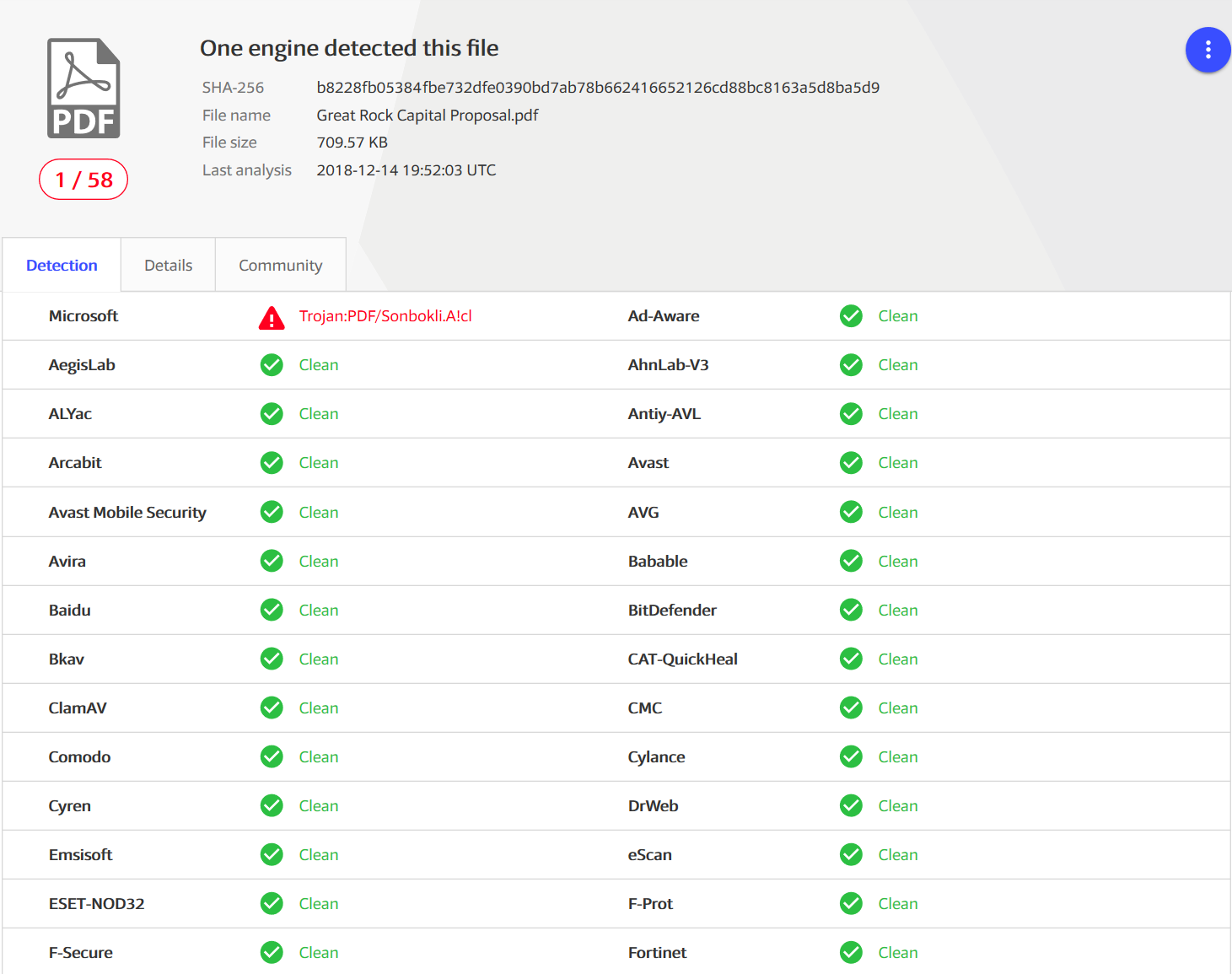
One of several PDF files that only Microsoft was detecting (as Trojan:PDF/Sonbokli.A!cl) at the time it was first observed (Source: https://www.virustotal.com/)
Machine learning-based detection of malicious PDF files used for phishing
Windows Defender ATP uses multiple layers of machine learning models to correctly identify malicious content. Most attacks are caught by the first few layers, which swiftly make a verdict and protect customers at first sight during the early stages of attacks. More sophisticated attacks may need the more complex classifiers in further layers, which take more time but make sure additional protections catch attacks that evade the first, faster classifiers.
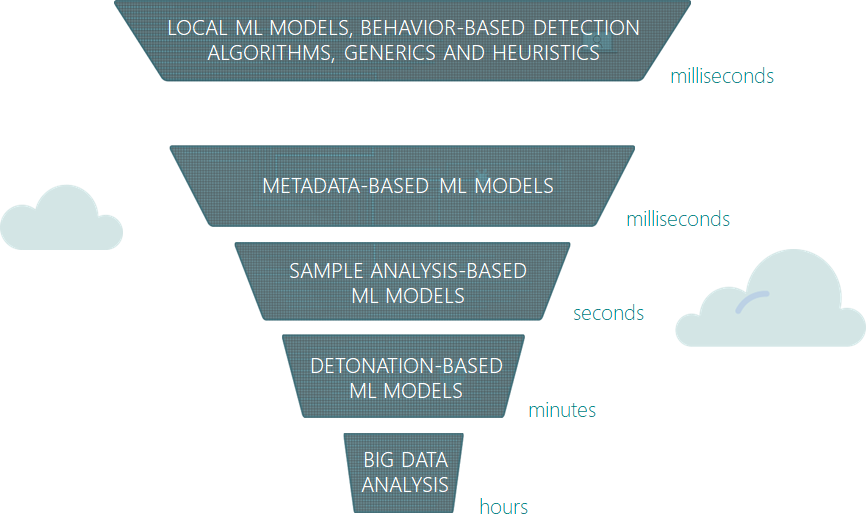
Multiple layers of machine learning in Windows Defender ATP
To catch malicious PDF files that are used for phishing and other cyberattacks, we built and continuously train machine learning classifiers that are designed to catch malware using this specific file type. These classifiers inspect file metadata for malicious characteristics and content. These classifiers regularly catch PDF files used for phishing.
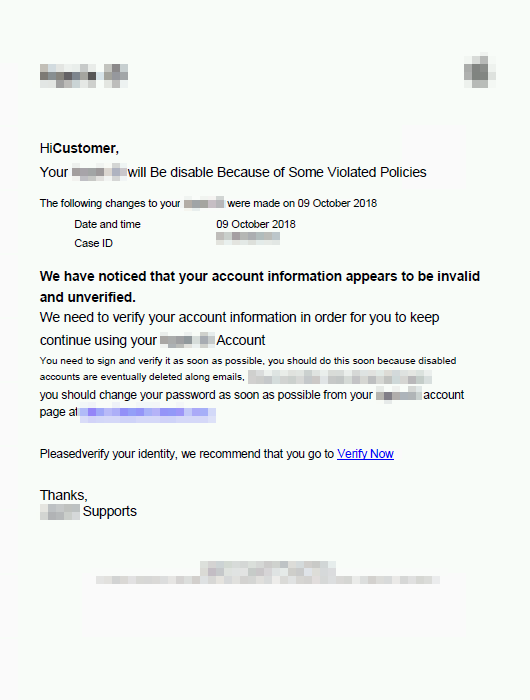
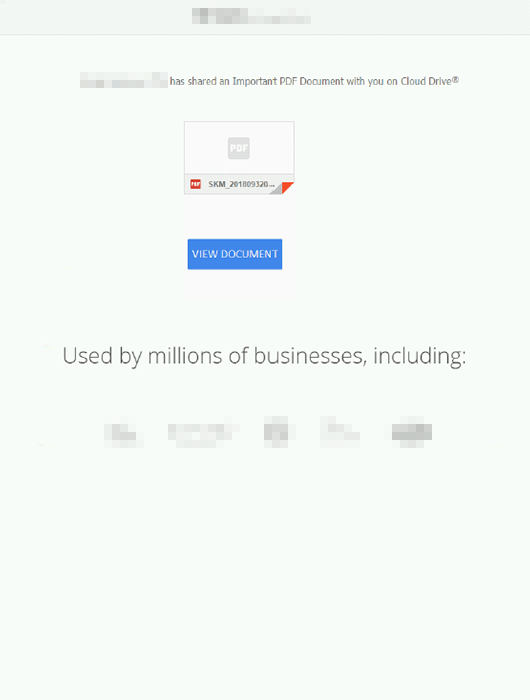
Typical malicious PDF files used for phishing (1) spoof a popular brand, app, or service, (2) contain a link to a phishing page, and (3) have the familiar social engineering techniques to convince recipients to click the link.
Enrichment with URL and domain reputation
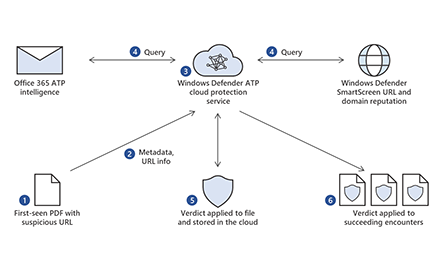
Through the Microsoft Intelligent Security Graph, we enrich this detection algorithm with URL and domain reputation intelligence from Windows Defender SmartScreen, the technology that powers the anti-phishing technology in Microsoft Edge, as well as the Network protection capability in Windows Defender ATP.
Windows Defender ATP queries URL and domain reputation in real time, so any PDF file that contains a known malicious domain or URL is detected by Windows Defender ATP.
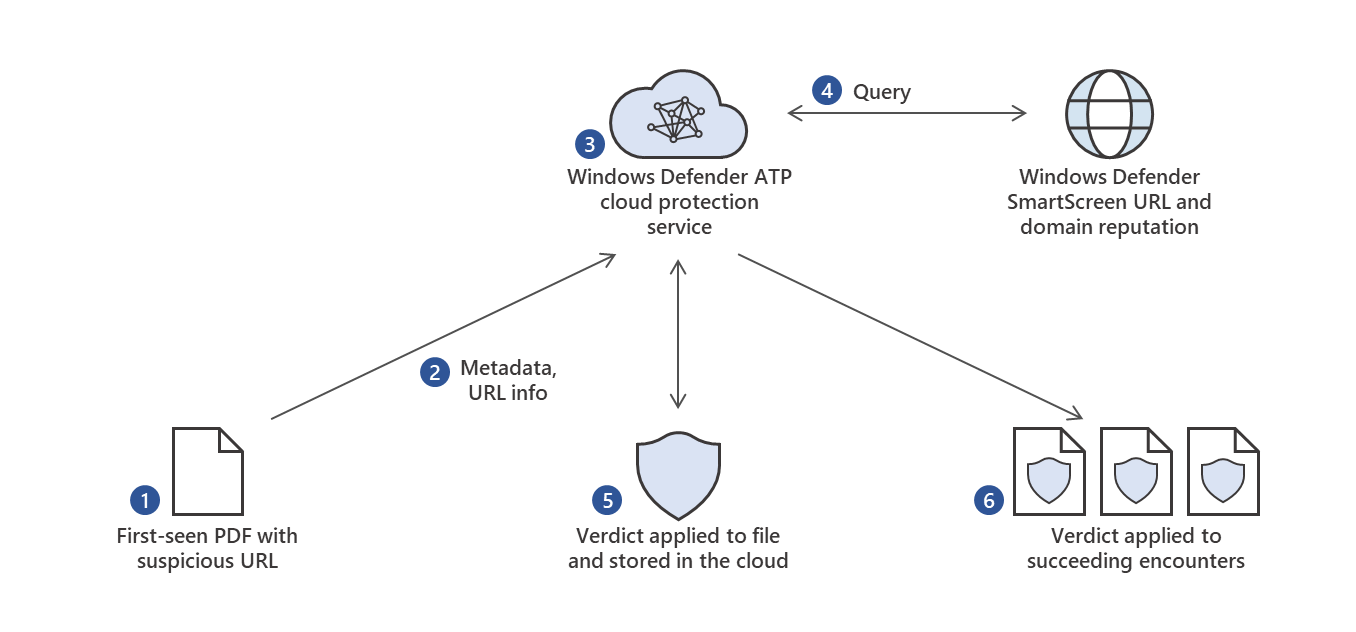
Enriching detection with URL and domain reputation
That is how Windows Defender ATP blocked several PDF files that no other antivirus solution knew were malicious at first sight.
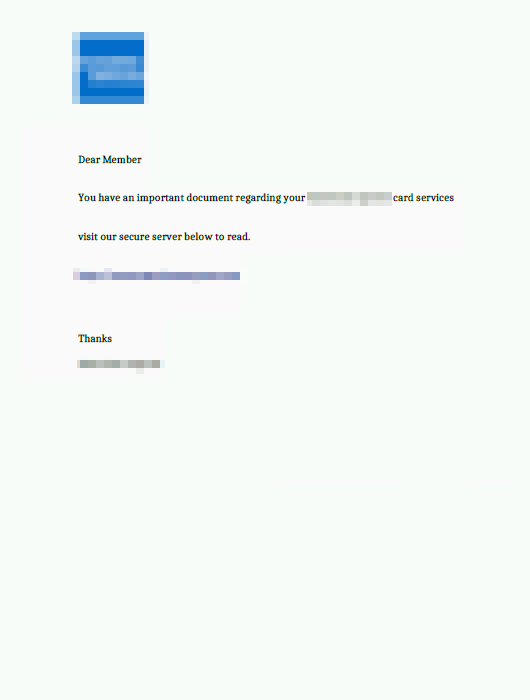

Sample malicious PDF files blocked by detection algorithms aided by URL and domain reputation
Enrichment with Office 365 ATP intelligence
Windows Defender ATP also integrates with Office 365 ATP. This integration provides rich optics into threats like PDF files that are commonly distributed via email. When Office 365 ATP detects a suspicious file or URL in emails, it uses a detonation platform, heuristics, and machine learning to make a verdict. This verdict is shared to other services in Microsoft Threat Protection.
In the case of PDF files, signals from Office 365 ATP enhances Windows Defender ATP’s capability to detect and block malicious PDF files on endpoints at first sight, even if they arrive through some other means or if they are observed in environments that don’t use Office 365 ATP.
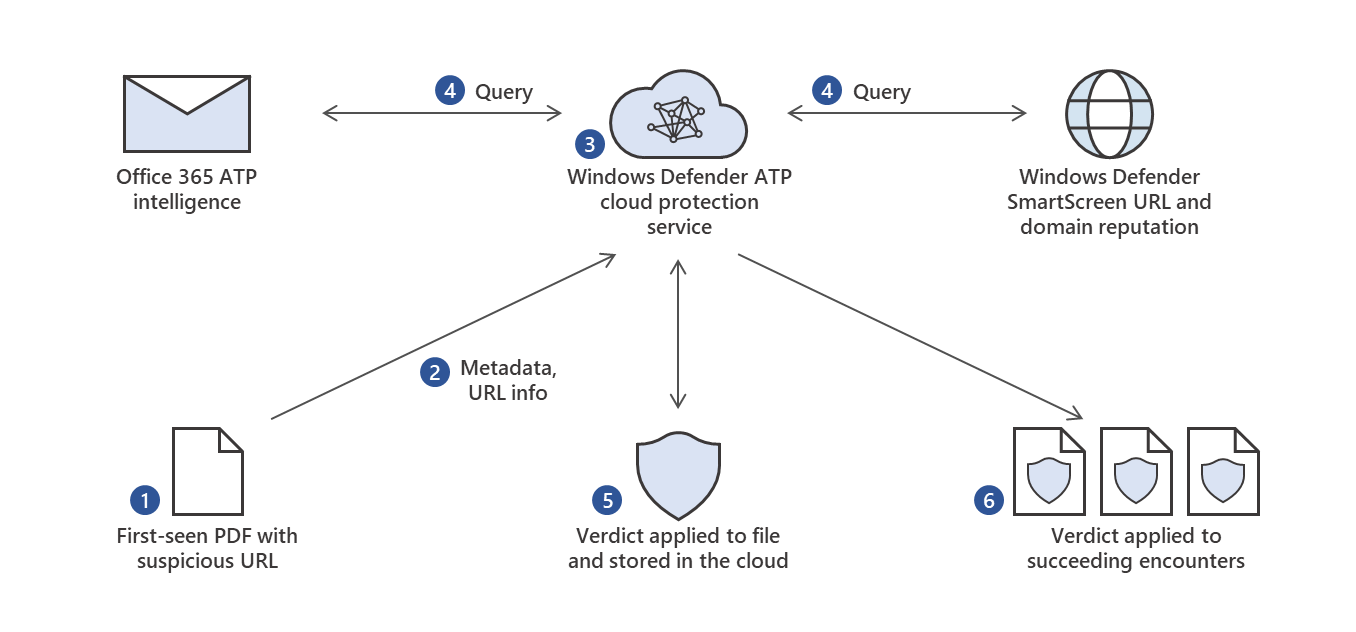
Enriching detection with URL and domain reputation with Officer 365 ATP intelligence
Here are sample malicious PDFs that Windows Defender ATP detected with intelligence from Office 365 ATP.
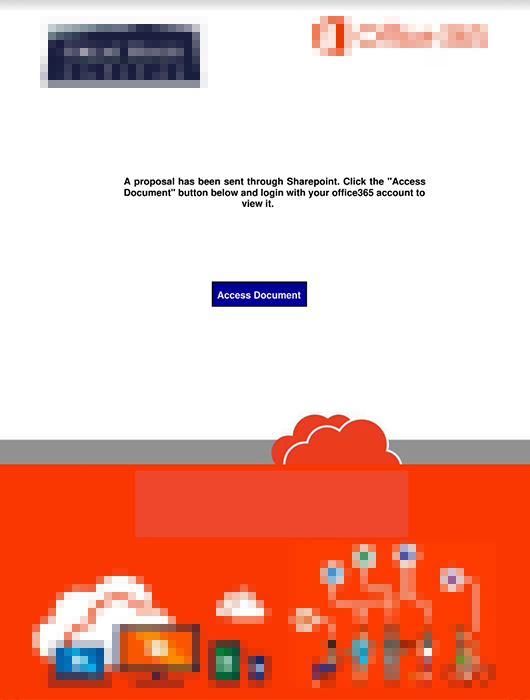
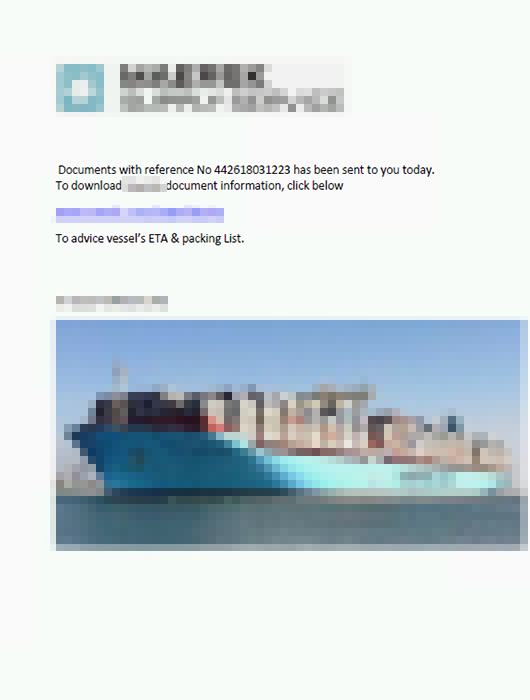
Sample malicious PDF files blocked by detection algorithms aided by Office 365 ATP intelligence
Microsoft Threat Protection: Signal sharing drives comprehensive protection
Every day, we see millions of new, first-seen attacks and malware campaigns that run for just 60 minutes or less. Protections need to be automatic, real-time, and accurate.
The signal sharing and remediation orchestration across Microsoft Threat Protection is robust and comprehensive. Take this actual protection timeline as example:
- 11/13/2018 05:47 – Windows Defender SmartScreen identified a new malicious URL: hxxps://triplesixone[.]info/tfds/index[.]php?fruitly=mixer.
- 11/21/2018 11:53 – Attackers started using the URL in phishing campaigns. Office 365 ATP blocked a PDF file that contained the malicious URL. Microsoft Exchange Online Protection (EOP) instantly blocked the emails carrying the malicious PDF.
- 11/21/2018 11:57 – Windows Defender ATP saw and blocked the PDF in environments that don’t use Office 365 ATP or EOP.
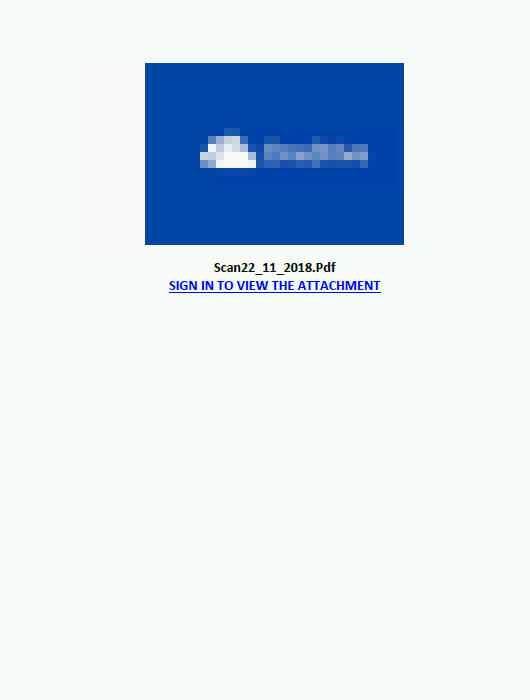
Phishing PDF (SHA-256 99ff3cd0c0e0acccdc81f8af39205bfadc2a37ea5216a10a7ca2a402a6115b56) contained a malicious URL that was first observed one week prior
In this example, Windows Defender SmartScreen drove protections, but signal-sharing happens in multiple directions across Microsoft services. In other cases, Windows Defender ATP, Office 365 ATP, or another service can drive protection, depending on which technology identifies the threat first.
This exemplifies the comprehensive protection that Microsoft Threat Protection drives every day through the integration of security solutions. Individually, these services protect customers and evolve to address the latest threats. Working together, these technologies enrich each other’s capabilities and intensify protection for customers.
Learn more about Microsoft Threat Protection.
Begin a free Office 365 E5 trial and a free Windows Defender ATP trial today.
Allan Sepillo
Windows Defender Research team
with
Eric Avena
Content Experience team
Indicators of attack
File name: AppE0CommerenceID_825126723.doc[876].pdf
SHA-256: 7d01a444a72a2779268d2e040a083caefbd14b2031142ca24e0bad272f1045f2
Detection name: Trojan:PDF/Sonbokli.A!cl
Malicious URL: hxxps://apple-locked[.]hopto[.]org/_
File name: SKM_20181105029929.pdf
SHA-256: 5e7b2808a4ec71dd7b89463e30200d8576a73a50fe128106445f5a3db9f35b5d
Detection name: Trojan:Script/Foretype.A!ml
Malicious URL: hxxps://t[.]co/QzKoqr4pd5
File name: Remittance Invoice Advise!!.pdf
SHA-256: e46566f58e8baed0789fe066cd69ecc0817d6b20faaea12b7ebbf06b940a5af4
Detection name: Trojan:Win32/Spursint.R!cl
Malicious URL: hxxp://andreasucci[.]it/admin/!%23%23%23@!/
File name: Card Member Document.pdf
SHA-256: eb1785f4cd4b5b814fd195ed2e2b844ddb5223f536e8e37368fdaea39dd8e242
Detection name: Trojan:Win32/Spursint.P!cl
Malicious URL: hxxp://unspecified[.]biz/uiudfg
File name: BBVA_Justi.pdf
SHA-256: 11b04f8716aff5de3f1131de16711f6051b8d73e9a6d94f137df26bf4c7c48cf
Detection name: Trojan:Win32/Spursint.P!cl
Malicious URL: hxxps://www[.]dropbox[.]com/s/lvhkev63o2w8t3q/justificante.uue?dl=1
File name: MAERSK Tracking Document .pdf
SHA-256: 25247dda0a94d73d62e26707ed072beea3f8fc170087b30bc5709fb1aca7f9b9
Detection name: Trojan:Win32/Spursint.P!cl
Malicious URL: hxxps://dc[.]exa[.]unrc[.]edu[.]ar/facas2015/modules/php/maerskhwj.php?bayblade=dranzer
File name: Private71LScan.pdf
SHA-256: 99ff3cd0c0e0acccdc81f8af39205bfadc2a37ea5216a10a7ca2a402a6115b56
Detection name: Trojan:Win32/Sonbokli.A!cl
Malicious URL: hxxps://triplesixone[.]info/tfds/index.php?fruitly=mixer
File name: Great Rock Capital Proposal.pdf
SHA-256: b8228fb05384fbe732dfe0390bd7ab78b662416652126cd88bc8163a5d8ba5d9
Detection name: Trojan:PDF/Sonbokli.A!cl
Malicious URL: hxxps://superbdeal[.]site/benz/share
Talk to us
Questions, concerns, or insights on this story? Join discussions at the Microsoft Defender ATP community.
Follow us on Twitter @MsftSecIntel.